

You might be running a local or national news site, travel site, personal site where you share your thoughts or any other site where you want to display current weather, as well as weather forecast for next few days. But how to add weather widget to your WordPress site without hiring a programmer? Well, that’s exactly what is possible with the help of a plugin that will add weather forecast widget to your WordPress site. So let’s take a look at 5 such useful WordPress plugins to add weather widget to your site.
Please note that some of these plugin allows users to display weather using a shortcode. This shortcode method works great on posts and pages, but inserting a shortcode in the text widget won’t work. In such a case, you can drag and drop weather widget (if the plugin adds any such widget) to your widgetized area, like sidebar or footer.
WP-Forecast
The WP-Forecast plugin displays weather data from two sites – accuweather.com and/or weatherbug.com. You have the option to display the weather on your WordPress posts, pages or sidebar. You can easily place the widget in any widgetized area for example; on the sidebar.
The plugin lets you choose the time interval when the weather data is fetched so that it doesn’t slows down your site. Here are some of the features of this plugin:
- You can choose the location for which you want to show weather
- Language selection (English or German)
- Select how many days forecast you want to display
- Wind speed unit
- Metric or American measures
- Can be customized using the CSS
- Place the weather widget anywhere you want
Weather and Weather Forecast Widget
This plugin shows current weather and forecasts for the next nine days for any of your specified location. Mouse hover presents detailed information on current weather and forecasts.
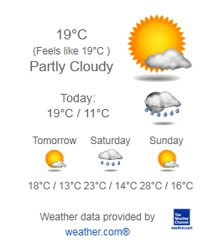
With the help of shortcode, you can insert the weather widget anywhere on your site – be it your post or page. The developer says that it can display the weather for nearly any location in the world, but it would depend much on the data provider from where this plugin fetches the weather details. An optional feature allows you to display weather for your site visitor’s location.
One of the most notable feature of this plugin is that it is multilingual and it supports languages like Arabic, Chinese, Danish, Dutch, English, French, German, Hungarian, Irish, Italian, Norwegian, Polish, Portuguese, Russian, Serbian and Spanish.
Weather Forecast – WP Wunderground
This plugin sources the weather data from Wunderground.com, which according to the developer, it provides the “most accurate and in-depth weather information.”

The plugin is perfectly suited for regional websites, travel sites, snow removal websites, and more. It comes with 10 great looking icon sets, and you can select any one from them that you like.
Using this plugin is also easy as you just need to place the [forecast] shortcode where you want to show the forecast. This shortcode can be further customized, and more details regarding this is present in the plugin’s official page.
WeatherSlider
WeatherSlider adds beautiful weather slider widget with animated weather effects. You get 48 different weather types and many other customizable options. The plugin shows current weather and 3 day weather forecast.
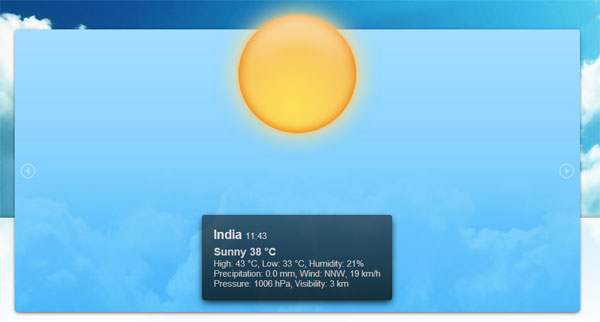
WeatherSlider Features:
- 48 different weather types
- Beautiful CSS3 animations
- Responsive size from 240×200 to 1300×600 pixels
- Multiple locations in one slider
- Custom location search bar
- 12 or 24 hour time format
- Touch Control for mobile devices
- Updated, reliable geolocation feature
- Supports all major browsers
Bonobo – Weather Widget
This plugin displays 22 different weather types, and it relies on Yahoo Weather API. It features beautiful Metro style (link), slider, 8 color schemes, choice to display Fahrenheit or Celsius, and it is Multilanguage.

Go ahead, try out any of these plugins and show-off weather forecast on your site.