

WordPress can do amazing things and there is no stopping you from adding content of your choice. Not every publisher is interested in posting text and images. WordPress users may just want to post any type of content. There are music directors and producers, singers, bands, podcasters and bloggers that may want to use WordPress to share their audio related content. But a question that can come to your mind is that how can a user upload audio content and let visitors listen to that audio on an audio player? Fortunately this is possible and in this article, we will learn how to publish audio and music content with WordPress.
Embed/Add MP3 Audio File file to WordPress
Thanks to the new HTML5, we can now easily embed audio files to posts and pages in WordPress. We will be using the oEmbed technology which is already used by WordPress for other purposes, for example, when embedding YouTube videos.
To add audio files (MP3, OGG and WAV) in WordPress, we can use a WordPress plugin named as oEmbed HTML5 audio. This plugin adds/embeds audio files using the HTML5 audio tag. The best part is that it really makes the embedding process a piece of cake. You don’t need to follow any lengthy process to do this.
Firstly, install this plugin. To embed an audio file to a post or a page, click on the media uploader button (the same button that you use to upload images). Now, select your audio file and upload it. If the audio file is of large size, then it will take some to upload it. Once uploaded, copy the URL of the file. If you are not able to see the URL, then click on the “File URL” button. Close the media uploader and return to your post.

Now all you need to do is to simply paste the URL in your post editor. It doesn’t matter whether you post the URL in Visual or HTML view. This plugin will automatically convert the URL into the HTML5 audio tag (but it won’t display any tag in the editor). Publish or Update the post.

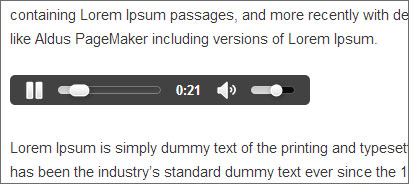
Check out the front-end of your website and you can see that a small audio player is added with controls.
Your visitor can click on the play button to start playing the audio/music.
This plugin doesn’t requires any configuration. You just need to activate the plugin, upload the audio file in MP3, OGG and WAV format and then paste the URL in the post editor. So that’s how you can upload audio and music content to your WordPress website.