
Free WordPress Installation Service
We at BeginWP staunchly believe that WordPress is the best CMS to build websites. Yes, we mean websites and not just blogs. WordPress has evolved much more than just being a blogging platform, and now you can build full fledged websites by using WordPress. By ‘full fledged’ we mean sites like portfolio, news, online magazines, business, applications, tumblog (Tumblr like sites), Ecommerce and what not. So if WordPress can do all this with the right set of tools, then why use any other CMS?
Why Use WordPress?
If you need more convincing on why to use WordPress, then here are some amazing points that sets it apart.
- WordPress is free and open-source which means you are free to use it, be it for personal purpose or for commercial use. You don’t need to pay even a penny to use WordPress.
- WordPress is user friendly. From installing to using, everything is simplified for a superb user experience. The admin interface is also very easy to use, once you understand the basics.
- WordPress is SEO friendly. User can change permalink structure, categorize posts, add Heading tags, sends pings automatically, and do much more.
- WordPress is not just a blogging platform, but a full content management system which can be used for building business websites, ecommerce, portfolio, multimedia and many other type of websites.
- This CMS is perfect for a multi-author site/blog. Administrator can easily add new users, set roles and remove users from the admin interface.
- WordPress has got a large choice of plugins and themes. You can always find that perfect theme and plugin as per your need.
- WordPress powers whopping 60 million websites on the Internet, according to Forbes. Now this is definitely a big figure which makes it the most popular and most used CMS out there.
Why Us?
Not everyone is born WordPress expert, and not everyone should be. There are many people out there who don’t know anything about generating electricity but they still use electronic devices, right? Same way, you don’t need to know how to install WordPress and all other technical stuff associated with it. That’s why, let us do that hard work for you so that you can focus on what you do best.
In the end, you’ll get the latest version of WordPress installed and ready-to-use.
What Will You Get In The Free Package
- WordPress installed and ready to use.
- Secure installation with good practices – with no “admin” user present.
- Theme installation of any of your choice from WordPress.org’s free theme library.
- Two plugin installation – you just need to handle the configuration part of those plugins.
Convinced enough? Then let us do the hard work for you. There’s only a small catch. To provide you with this free WordPress installation service, we require users to sign-up with our partner webhosts. But don’t worry, we’ve selected these webhosts with acute care, and they are best known to offer quality services. This is a win win situation for you as well as for us. You get the best reliable webhosting service which you would need anyway to get your site up and running and we get a commission from our partner webhosts. In the end, you get a brand new sparkling website with WordPress installed and ready-to-use.
Step 1
If you already have a domain name then that’s great, but if you don’t have one, then you’ll need to purchase a domain name (for example; the website that you’re reading this has the domain name www.beginwp.com). Think of a domain name as a website’s address or URL. You’ll need to purchase the domain from domain registrars like Namecheap.
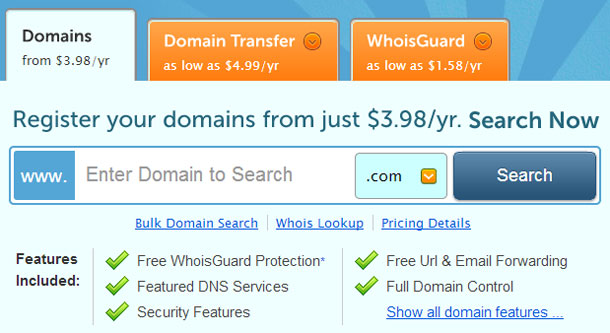
On these sites, use the search bar to find the domain that you’re looking for and buy it. Once you purchase a domain name, head over to step 2.
Step 2
Next, you’ll need to purchase webhosting. A webhost is where you store all your files, databases and all other stuff. In a simple sense, this is where all your files reside.
Go ahead, signup with any one of our partner webhosts by clicking on the below link.
WP Engine
For WP Engine users: Sign up for a full one year and you’ll get two extra months for free, which means a total saving of $58.
For SiteGround users: Sign up using this link and get WordPress hosting at very affordable pricing.
Step 3
After signing-up with host, it’s time to contact us. For security reasons, we won’t set your username as “admin.” You can enter your preferred username in the email though.
That’s all you need to do. Now you can sit back and relax while we install WordPress for you. We’ll contact you within 48 hours with your username and password of your WordPress installation. You can then change these details whenever you want.
Please note that if you have any questions then we can only point you to the right direction, but we won’t be able to help you in theme customizations and other tweaks. If you have any questions, then feel free to contact us.
Note: We also offer paid WordPress installation service, just in case if you don’t want to purchase hosting from our hosting providers. To know about our charges and other details, please contact us.