

Many people love to work in the distraction free full screen editor in WordPress. The reason why we use the full screen editor is that it allows users to focus on writing, and nothing else. All the buttons and other elements are hidden so that we don’t get distracted by those elements. The full screen editor is no doubt very useful, but one thing that many users miss is the lack of a preview button.
To see a preview of the post or page, the user needs to exit from the full screen mode. But here comes Fullscreen Preview Button plugin that solves this annoying problem.
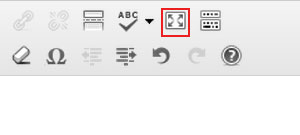
Once installed, simply activate the plugin and then switch to the full screen view by clicking on the button or pressing the Alt + Shift + W shortcut key.
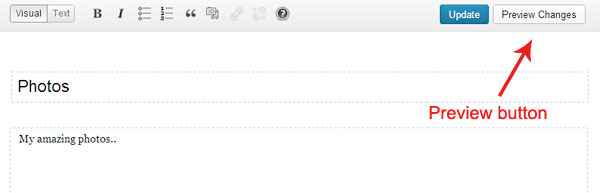
Now you will be able to see the Preview Changes button. Click on this button to view the preview of the post. There are no options or settings panel for this plugin. All you need to do is to just activate and then you’ll be able to see the preview button in the distraction free editor.
This plugin is very helpful and it is a must-have for those who regularly use the fullscreen mode, but have to exit from that mode just to view a preview of it.